Built for macOS
Your prompts roost at home.
Roost is a menu bar app that gives every AI client on your Mac one local address. Apple Intelligence answers what it can and keeps private data on your Mac. The rest goes to the cloud model you chose. You see every decision.
01
Smart models live in the cloud. Your data should not have to.
Cloud models are excellent at code, analysis and long documents, and every word you send them leaves your Mac. Apple Intelligence runs on your Mac and never phones home, but it is a small model: great for a quick rewrite, not for a Rust server with TLS.
Choosing between them by hand, in every app, before every message, is not something anyone keeps doing. So people pick one and live with the trade-off.
Roost removes the trade-off. It sits between your apps and the models and makes the call for every request.
02
One address. Four modes. Every decision explained.
Step 1 of 3
Point your apps at Roost.
One base URL for every app. Any API key works; your real keys stay in the Keychain.
Base URL
http://127.0.0.1:11535/v1
API key
anything
Step 2 of 3
Pick a mode.
On-device, Smart, Private or Full. One click in the menu bar.
- On-deviceNothing leaves
- SmartOnly the hard parts leave
- PrivateEverything but private leaves
- FullEverything leaves
Step 3 of 3
Watch the decisions.
Every response says where it was answered and why. The panel keeps a live feed.
03
From nothing leaves your Mac to everything does. You choose the line.
Modes with a provider are disabled until at least one provider is configured and selected as the default external provider.
- 01
On-device
Nothing leaves
Every request is answered by Apple Intelligence on your Mac. Works offline. Nothing is sent anywhere.
- 02
Smart
Only the hard parts leave
Apple Intelligence reads each request first. Private data and simple tasks stay on your Mac. Code, deep analysis and anything that needs today's information go to your provider.
- 03
Private
Everything but private leaves
The on-device model checks one thing: is there private data? If yes, the answer is written on your Mac. If no, the request goes to your provider at full strength.
- 04
Full
Everything leaves
Everything goes straight to your provider. No checks, no delay. Roost is just the one address your apps already know.
If your provider is unreachable, Roost answers on your Mac and says so in the decision feed.
04Privacy by decision, not by promise
The privacy check happens on your Mac, before anything leaves it.
In Smart and Private modes the on-device model looks at the whole conversation, not just the last message, and flags passwords, API keys, card and account numbers, names with contact details, medical and financial information. A flagged conversation is answered on your Mac, and the provider never sees it.
Three things make this different from a filter:
It reads context. A card number pasted three messages ago still counts when you ask to "translate that".
It is one pass, not two. The same generation that assesses the request also starts answering it, so private requests are not slower.
It fails closed. If the assessment times out or errors, the request stays on your Mac.
On your Mac
Assessing on your Mac
- privateDatatrue | false
- needsCurrentInformationtrue | false
- canAnswerWelltrue | false
No accounts. No analytics. No telemetry. Roost talks to exactly two things: the on-device model and the providers you configured.
05
Cloud, office server or the box under your desk.
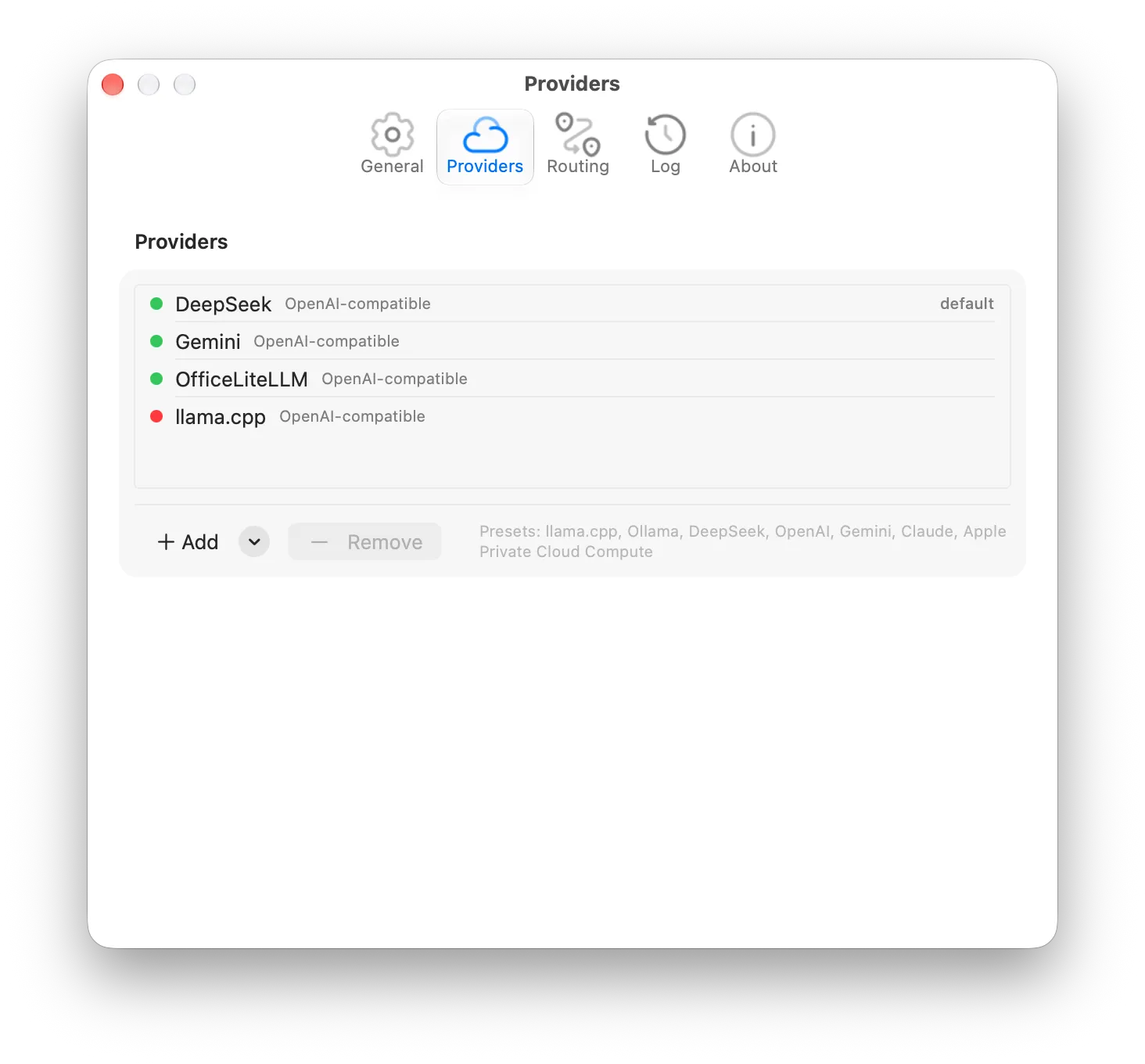
Roost speaks to any server that implements the OpenAI Chat Completions API, and to Anthropic through its own Messages API. Presets are included for llama.cpp, Ollama, DeepSeek, OpenAI, Gemini and Claude; anything else takes a base URL and a key.
Requests to OpenAI-compatible providers are forwarded exactly as your app sent them, with only the model name replaced. Tools, JSON mode, penalties, seeds and streaming options pass through, and the provider's response comes back untouched, tool calls and usage included.
Keys live in the macOS Keychain. Roost checks every provider every thirty seconds and shows latency and status in the panel.
Presets
- llama.cpp
- Ollama
- DeepSeek
- OpenAI
- Gemini
- Claude
Any OpenAI-compatible server: base URL + key
Built to be scripted.
Every response carries four headers:
X-Roost-Target: foundation | external:<provider id>X-Roost-Reason: private data | needs current information | ...X-Roost-Sensitive: true | falseX-Roost-Model: apple-on-device | <provider model>The model field
- autoroutes by mode
- applestays on your Mac
- externalgoes to the default provider
- <provider id>goes to that provider
GET /status reports the mode and the health of every backend; GET /v1/models lists what you can ask for.
06Made for the menu bar
Everything you need is one click away.
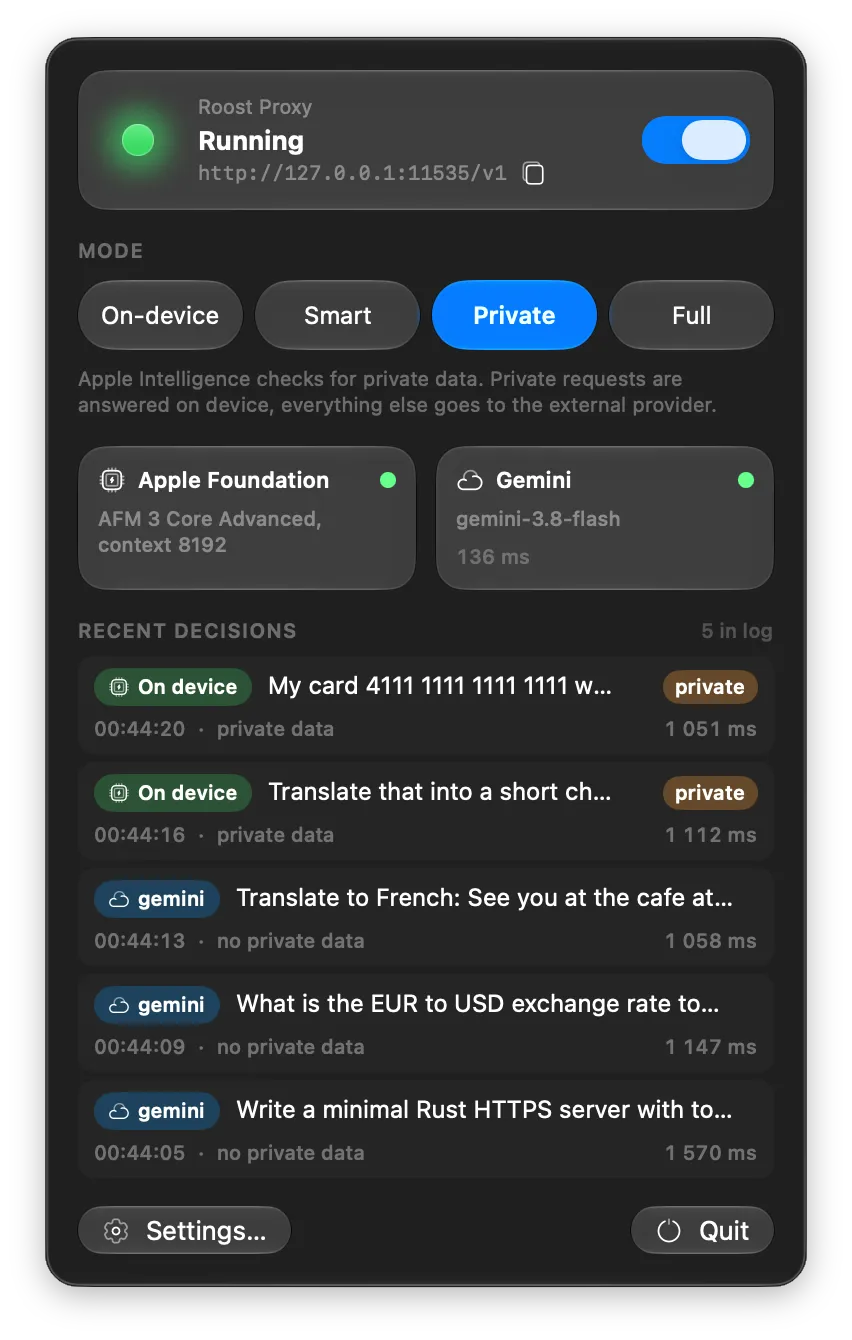
Status at a glance. A light that tells you whether the server is running, busy or in trouble, the address to copy, and a switch to stop or start.
Two cards. Apple Intelligence on the left, your provider on the right, each with status and latency.
Decision feed. The last ten requests: where they went, why, and a badge when private data was involved. Click one to see the model's reasoning.
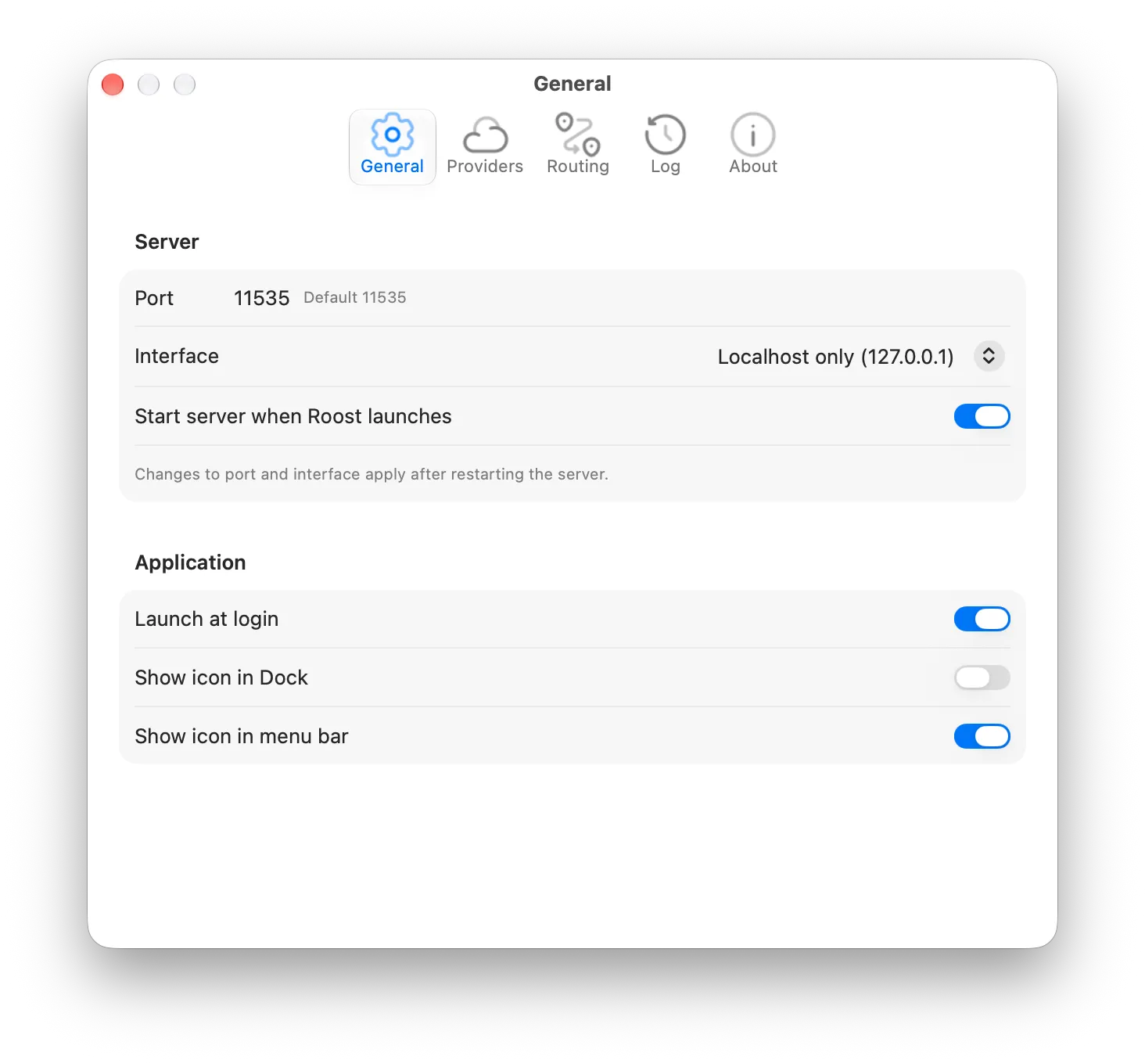
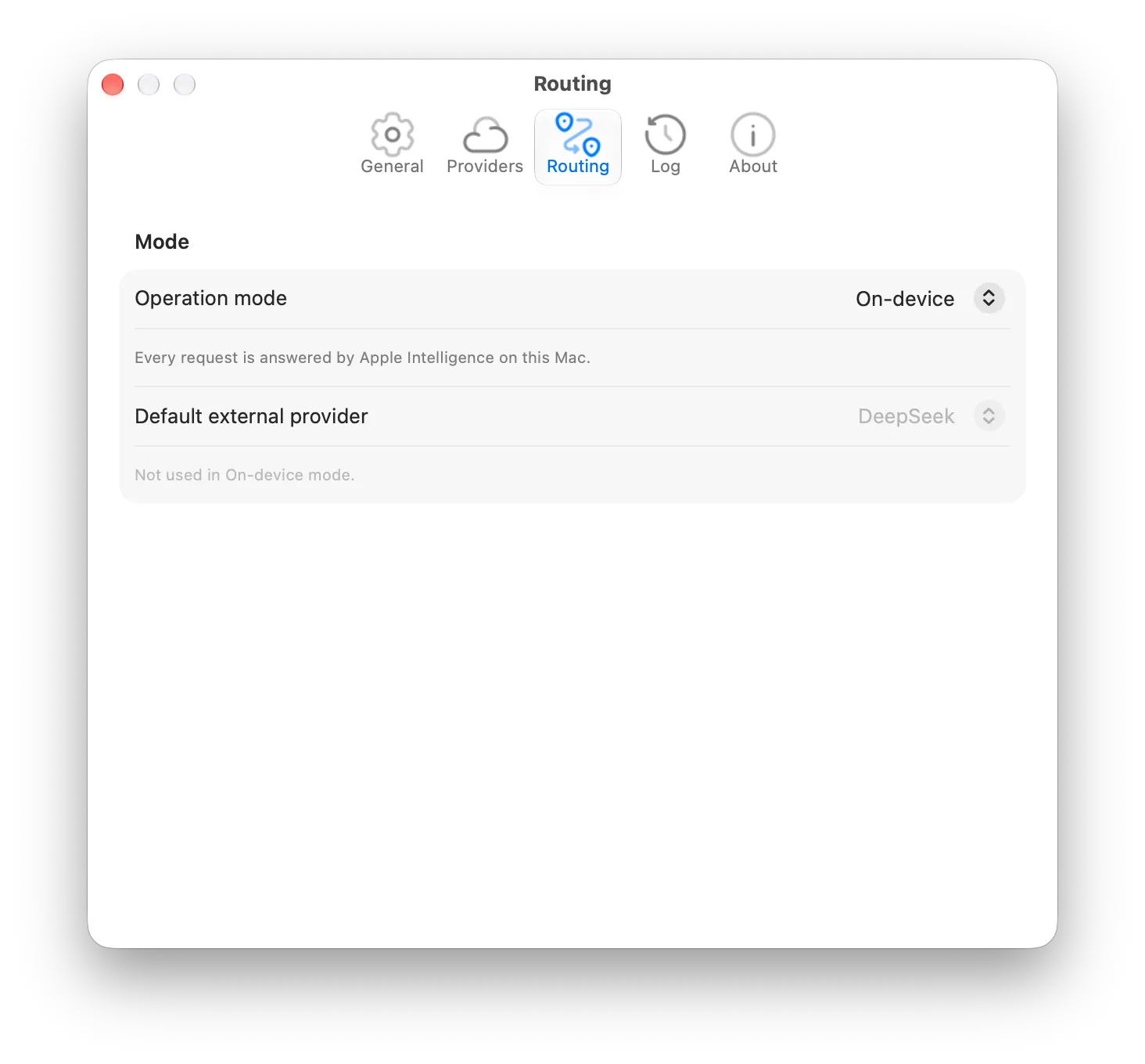
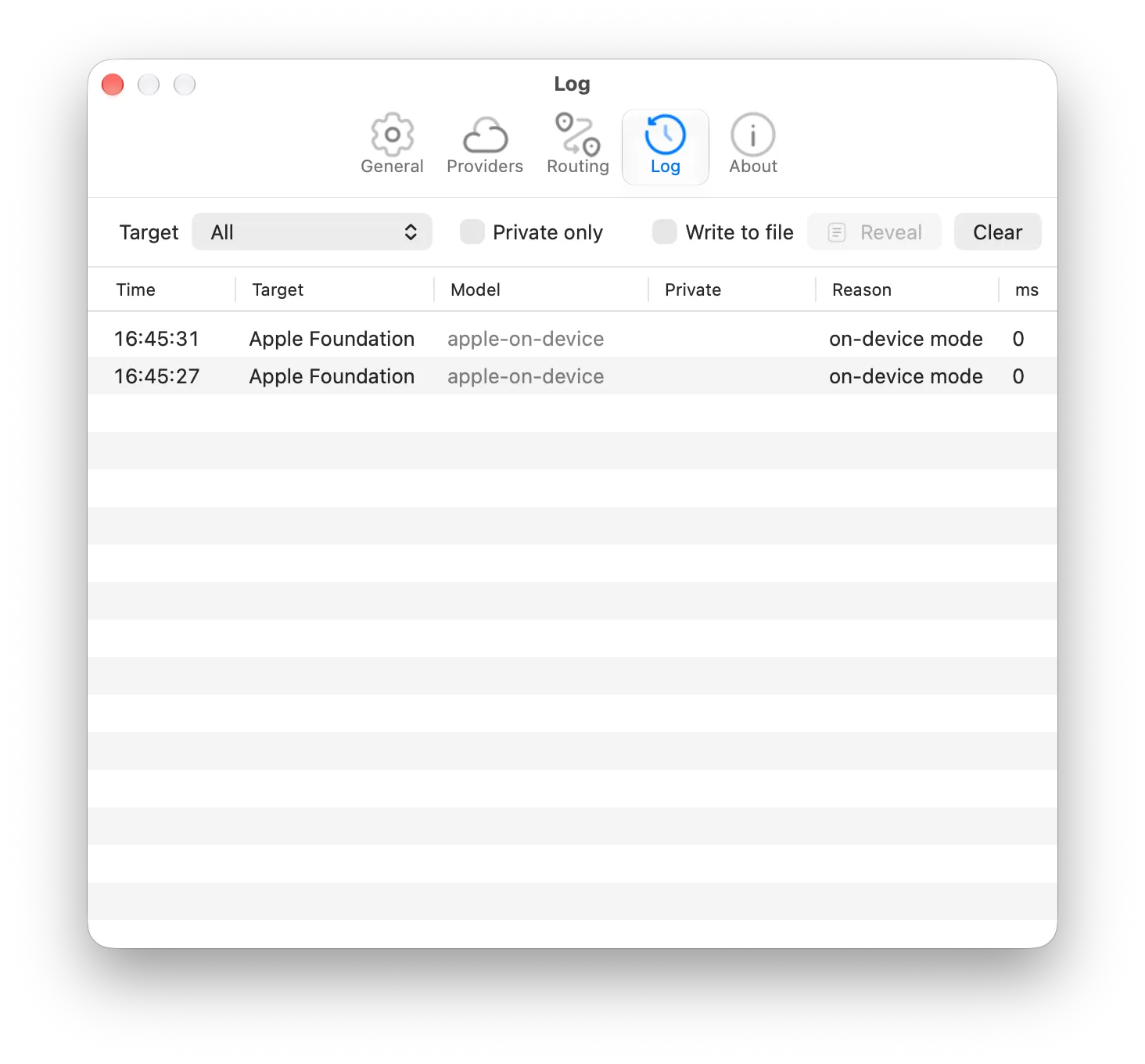
Settings that stay out of the way. Port and interface, launch at login, providers, routing and a full log with filters.
07
Who Roost is for
Developers.
One local endpoint for editor plugins, agents and scripts, with a live view of what each of them is sending where.
People who handle other people's data.
Lawyers, doctors, accountants, support teams: draft with AI without pasting client details into a cloud form.
Owners of local models.
Run Ollama or llama.cpp on a home or office machine and let Roost decide when the small model on your Mac is enough.
Requirements
- macOS 27 or later
- Mac with Apple Silicon
- Apple Intelligence turned on in System Settings
- For Smart, Private and Full modes: an account or a server for at least one provider
08
FAQ
More questions are answered on the Support page. Support.
What does Roost actually do?
It runs a small local server on your Mac with the same API your AI apps already use, and for every request decides whether Apple Intelligence on your Mac answers it or your chosen cloud provider does. You set the policy once with a mode; Roost applies it to every request and shows you each decision.
Does my data leave my Mac?
In On-device mode, never. In Smart and Private modes, only requests that the on-device model judged free of private data are sent to your provider, and you can see exactly which ones in the decision feed. In Full mode everything goes to your provider. Roost itself sends nothing anywhere else: no accounts, no analytics, no telemetry.
Which apps work with Roost?
Any app that lets you set an OpenAI-compatible base URL and API key: chat clients, editor plugins, agents, scripts. Point them at http://127.0.0.1:11535/v1 with any key.
Which providers can I use?
Any server that implements the OpenAI Chat Completions API, including llama.cpp, Ollama, DeepSeek, OpenAI and Gemini's OpenAI endpoint, plus Anthropic's Claude through its own API. Presets are included; other services take a base URL and a key.
Do I need a paid API?
No. Roost is free, and On-device mode needs nothing but Apple Intelligence. If you run llama.cpp or Ollama on your own machine, the external provider is free too. Cloud providers bill you directly according to their own pricing; Roost does not add anything.
What are the requirements?
macOS 27 or later, a Mac with Apple Silicon, and Apple Intelligence turned on in System Settings.